

SSL Certificate Installation Service in Tumkur & Bangalore - TumkurLab

Your website is showing "Not Secure" to every visitor - and it's costing you customers, contact form leads, and Google rankings. Fix it today.

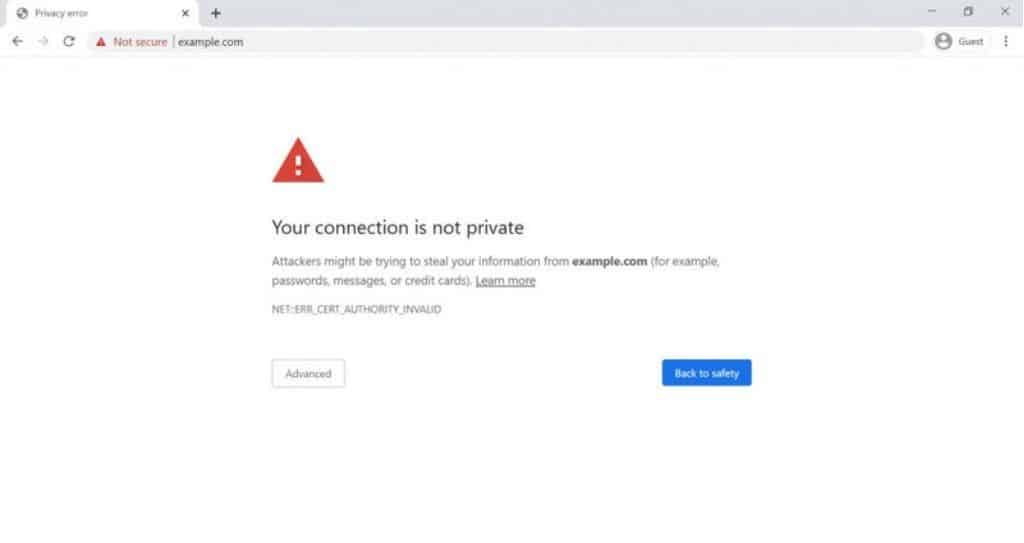
Open your website right now. Look at the browser address bar. Do you see a padlock icon and https:// at the beginning of your URL? Or do you see http:// – and worse, a “Not Secure” warning displayed to every single visitor who lands on your website?

If your Tumkur or Bangalore business website doesn’t have an SSL certificate installed, Google Chrome, Safari, Firefox, and every other modern browser is actively warning your visitors that your website is not secure – before they’ve even read a single word about your business. For many visitors, that warning is enough to make them leave immediately and go to a competitor’s website instead.

TumkurLab provides professional SSL certificate installation for business websites in Tumkur, Bangalore, and across India – for websites that are already live but don’t yet have SSL, websites whose SSL certificate has expired, and websites that have SSL installed incorrectly and still show mixed content warnings. We install, configure, and verify your SSL certificate quickly, professionally, and at an affordable price – turning your http:// website into a secure, trusted, Google-preferred https:// website.

Does Your Website Have This Problem?

Your website needs SSL certificate installation if any of the following apply:

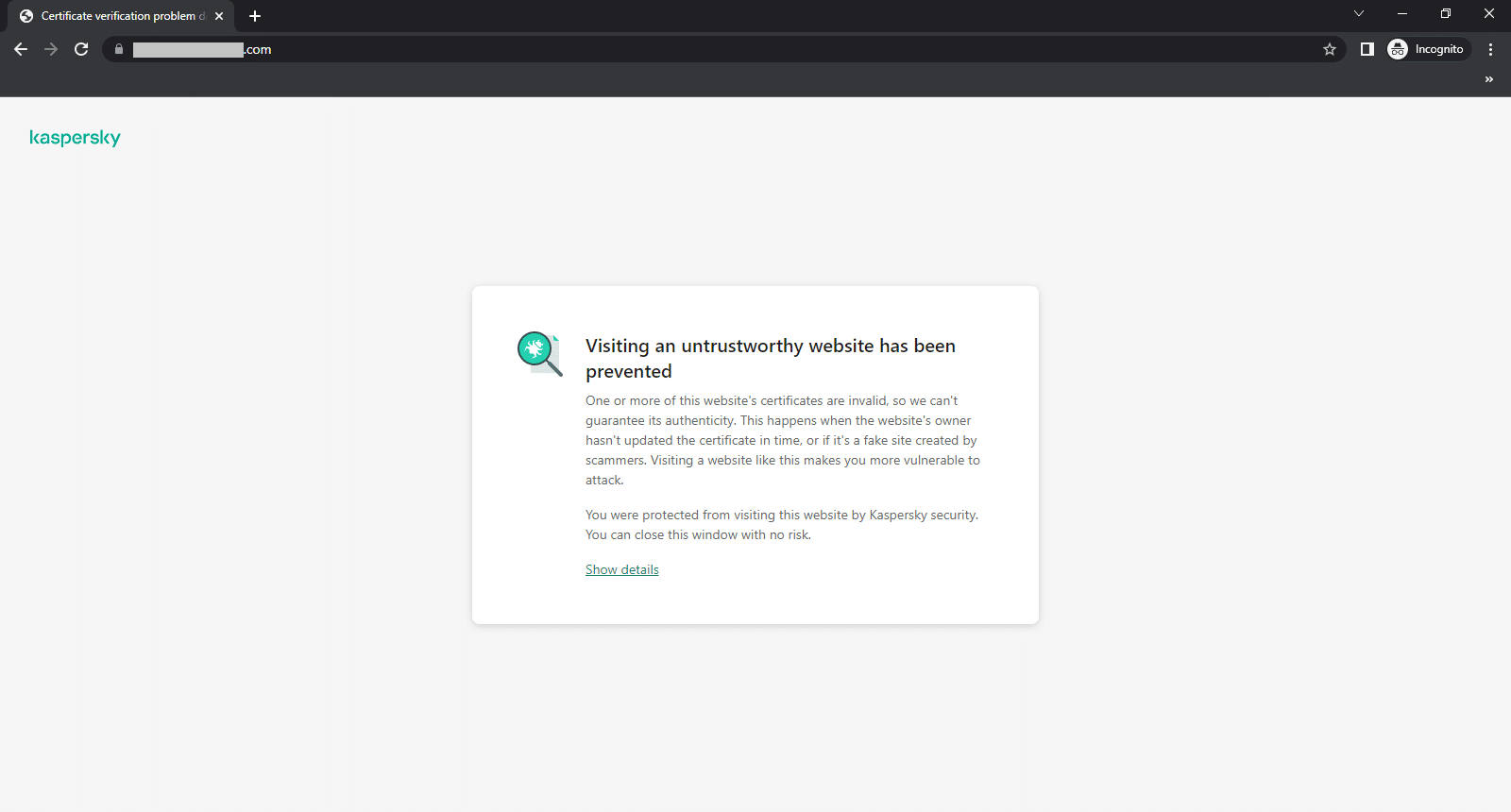
Your website URL starts with http:// instead of https://. Google Chrome displays a “Not Secure” warning next to your website URL in the address bar. Visitors see a warning page saying “Your connection is not private” before reaching your website. Your contact form doesn’t feel safe to fill – or you’re receiving fewer form submissions than expected. Your website’s Google rankings have been stagnant or declining despite other efforts. You recently moved your website to a new server or hosting provider and the SSL stopped working. Your SSL certificate has expired and the padlock is no longer showing. Your website shows a padlock but also shows “Mixed Content” warnings in the browser console.

If any of these describe your website, SSL installation or reinstallation is the fix – and it can be completed quickly.

What Is an SSL Certificate and Why Does Your Website Need One?

SSL stands for Secure Sockets Layer – and its modern successor is called TLS (Transport Layer Security). An SSL certificate is a small digital file installed on your web server that does two things: it encrypts all data transmitted between your website and your visitors’ browsers, and it verifies that your website is genuinely owned by your business and not a fraudulent impersonation.

When SSL is properly installed, your website URL changes from http:// to https:// (the ‘s’ stands for secure), and a padlock icon appears in the browser address bar – signalling to visitors and to Google that your website is secure, legitimate, and safe to interact with.

Without an SSL certificate, every piece of information a visitor submits through your website – contact form data, names, phone numbers, email addresses, and any other input – is transmitted in plain text that can theoretically be intercepted and read by anyone between your visitor’s browser and your server. With SSL, all of that data is encrypted and unreadable to anyone who might intercept it in transit.

Three Critical Reasons Your Live Website Needs SSL Right Now

Reason 1: SSL Directly Affects Your Google SEO Rankings

Google officially confirmed SSL as a ranking signal in 2014 - and its weight in the ranking algorithm has only increased since then. Google's goal is to send searchers to websites that are safe and trustworthy. A website without SSL is neither, by Google's own standards.

This means your Tumkur or Bangalore business website without an SSL certificate is at a structural disadvantage in search rankings compared to every competitor with SSL installed - regardless of how good your other SEO efforts are. Google actively prefers HTTPS websites in its ranking algorithm, and Chrome users who see a "Not Secure" warning have a dramatically higher bounce rate - which is itself a negative SEO signal.

Installing SSL and switching your website to HTTPS is one of the fastest technical SEO improvements available to a live website that doesn't yet have it. Most websites see measurable ranking improvement within weeks of making the switch correctly.

Reason 2: SSL Protects Your Contact Form Data and Builds Visitor Trust

If your website has a contact form - and most business websites in Tumkur and Bangalore do - every time a visitor fills out that form and hits submit, their name, phone number, email address, and message are transmitted from their browser to your server. Without SSL, that transmission happens in plain text. With SSL, it's encrypted and secure.

More importantly, visitors know this. Most internet users today - especially in Bangalore's tech-savvy market - recognize the "Not Secure" warning and understand what it means. When a potential customer sees that warning on your website contact form page, their immediate instinct is not to submit it. The result: you lose leads that were already interested in your business, simply because your website didn't have a ₹1,000 SSL certificate installed.

A secure padlock next to your URL is a visible, immediate trust signal that tells visitors your website is safe to interact with - increasing the likelihood that they fill out your contact form, click your call button, or take any other action you want them to take.

Reason 3: Google Chrome Actively Warns Visitors Away from Your Website

Google Chrome - used by over 65% of internet users in India - displays a prominent "Not Secure" warning in the address bar for every HTTP website. For websites with forms, Chrome goes further: it shows an additional warning directly on the page asking users to reconsider submitting their information.

In practical terms, this means Google Chrome is actively discouraging visitors from using your website every single time someone visits. For a Tumkur or Bangalore business that depends on website enquiries, this is a silent, ongoing lead-generation problem that costs real customers and real revenue every day the SSL is missing.

What Happens When You Don't Have SSL - Real Business Impact

Lost Contact Form Leads

Visitors who see "Not Secure" when they reach your contact form page are significantly less likely to submit it. Every day without SSL is a day your website is leaking potential leads.

Lower Google Rankings

Without HTTPS, your website is structurally disadvantaged in Google's ranking algorithm compared to SSL-enabled competitors - regardless of how good your other SEO efforts are.

Higher Bounce Rate

Visitors who see a "Not Secure" or "Your connection is not private" warning leave immediately - sending a negative engagement signal back to Google that further suppresses your rankings.

Reduced Brand Credibility

A business with a "Not Secure" website looks less established and less trustworthy than a competitor with a secure, padlocked HTTPS website - particularly for Bangalore businesses pitching to corporate clients or selling higher-value services.

Vulnerability to Data Interception

Without encryption, any data visitors submit through your website can theoretically be intercepted in transit - a reputational and legal risk for businesses handling customer information.

Blocked by Corporate IT Systems

Some corporate networks in Bangalore automatically block access to HTTP websites without SSL - meaning your website may be completely inaccessible to a portion of your corporate audience.

Who Needs SSL Certificate Installation?

Live Websites Without SSL

If your Tumkur or Bangalore business website is already live on http:// and has never had SSL installed, this is the most urgent use case. Your website is showing "Not Secure" warnings to every visitor, right now, every day.

Websites with Expired SSL

SSL certificates expire. If your website previously had SSL but it's now showing warnings again, your certificate has likely expired. We handle SSL renewal and reinstallation.

Newly Migrated Websites

If you've recently moved your website to a new hosting provider or server, SSL often needs to be reinstalled from scratch on the new environment. We handle post-migration SSL setup.

Websites Showing Mixed Content Warnings

If your website has SSL installed but the padlock still doesn't appear consistently, or the browser console shows mixed content errors, we audit and fix every mixed content instance.

E-Commerce Websites

Any website that handles payments, orders, or account logins must have SSL - it's not optional. If your online store is running without SSL, customer payment data is at risk and your customers know it.

Websites with Contact Forms

Even if you don't handle payments, any website with a contact form that collects names, phone numbers, or email addresses should have SSL to protect that data and signal to visitors that it's safe to submit.

New Website Launches

If you're launching a new business website, SSL should be installed before the site goes live - not as an afterthought. We include SSL setup in all new website builds, but can also install it on websites built by other developers before launch.

What Our Clients Say

TumkurLab place picture
4.8
Based on 9 reviews
INDIO LITE profile picture
INDIO LITE
9 months ago
see after looking for many of the IT services i came across With TumkurLab it offer an great level of service at most and affordables packs the e-commerce is better than others so if you wanna try TumkurLab services i Total appriciate you for choosing it And Tumkurlab' Thank You For The services

Prashanth G profile picture
Prashanth G
10 months ago
They provided good website design and digital marketing service for my company and maintenance is good.

saeed shaikh profile picture
saeed shaikh
11 months ago
Nice work

Photo from customer review
CHETHAN G profile picture
CHETHAN G
11 months ago
its the best every services i have found and it give us an full potential services and i will absolutly use it for my future works thank u tumkurlab
Response from the owner
11 months ago
Working with you was a delight sir, Thank you for sharing your experience with us...!!Regards,TumkurLab
Working with TumkurLab has been fantastic. They respond promptly to all our needs and they build and are maintaining our website and social media accounts. We wish them all the best and success.
Response from the owner
1 year ago
Working with you was a delight sir, Thank you for sharing your experience with us...!!Regards,TumkurLab
SBMM Technical profile picture
SBMM Technical
1 year ago
We’ve been working with TumkurLab for over a year now, and the experience has been excellent. They designed and built our company website, and have been consistently maintaining it with care and professionalism.

Their team is responsive, detail-oriented, and understands the needs of businesses like ours in the mining and minerals sector. Beyond the website, they also helped us with high-quality brochure and technical report designs, which were very helpful for our client presentations and exports.

Their commitment to quality, timely support, and creativity really stand out. Highly recommended for any business looking for reliable web and design solutions!
Response from the owner
1 year ago
Thank you so much for the kind words sir. It has been a pleasure working on the website and design projects. Looking forward to continuing to support your digital presence with the same dedication and quality.Regards,TumkurLab
Lavanya Tg profile picture
Lavanya Tg
2 years ago
Very satisfied with TumkurLab website design service.

Good team to get the website built
Response from the owner
3 years ago
Working with you was a delight mam, Thank you for sharing your experience with us...!!Regards,TumkurLab

Is your website showing "Not Secure" to every visitor?

Get your SSL certificate installed today - protect your contact form, boost your SEO, and build visitor trust.

Subscription Form

Frequently Asked Questions

Q: What is an SSL certificate and why does my website need one?
An SSL certificate is a digital file installed on your web server that encrypts all data transmitted between your website and your visitors’ browsers, and verifies your website’s identity. Without SSL, your website shows a “Not Secure” warning in Google Chrome and other browsers, Google rankings are suppressed, contact form data is transmitted unencrypted, and visitors are actively warned away from your website. With SSL, your URL changes to https://, a padlock appears, visitors feel safe, and Google treats your website as more trustworthy.

Q: My website already has a contact form – do I definitely need SSL?
Yes, absolutely. Without SSL, every name, phone number, email address, and message your visitors submit through your contact form is transmitted in plain, unencrypted text that can theoretically be intercepted. More practically, Google Chrome shows a warning on contact form pages without SSL specifically because of this risk – discouraging visitors from submitting the form and costing you leads directly.

Q: Does SSL improve my Google SEO rankings?
Yes. Google officially uses HTTPS as a ranking signal. Websites with SSL installed and correctly configured to serve all pages over HTTPS have a direct ranking advantage over equivalent HTTP websites in Google’s algorithm. Additionally, the lower bounce rate that comes from removing the “Not Secure” warning is itself a positive engagement signal that further supports rankings.

Q: How long does SSL certificate installation take?
Most SSL installations are completed within 24–48 hours of project start. The actual certificate issuance for Domain Validation SSL is typically instant to a few hours. The installation, HTTP-to-HTTPS migration, mixed content fixing, and redirect configuration is what takes the remaining time to complete correctly.

Q: What is the difference between http and https?
HTTP (HyperText Transfer Protocol) is the standard protocol for transmitting web pages – but it transmits data in plain, unencrypted text. HTTPS (HTTP Secure) uses SSL/TLS encryption to secure all data transmitted between a browser and a web server. The ‘s’ in HTTPS stands for secure. HTTPS websites show a padlock in the browser address bar; HTTP websites show “Not Secure.”

Q: What is a mixed content warning and what causes it?
A mixed content warning occurs when an HTTPS webpage loads some resources – images, scripts, or stylesheets – over HTTP instead of HTTPS. This prevents the padlock from showing consistently and triggers browser security warnings even when SSL is installed. It’s most commonly caused by hardcoded HTTP URLs in your website’s content or code. We audit and fix all mixed content issues as part of our SSL installation service.

Q: Will installing SSL affect my existing Google rankings?
When done correctly – with proper 301 redirects from HTTP to HTTPS, Google Search Console update, and sitemap resubmission – the HTTP-to-HTTPS migration preserves your existing Google rankings and typically improves them over time. When done incorrectly (missing redirects, duplicate content between HTTP and HTTPS versions), it can cause temporary ranking drops. We handle the migration correctly to protect your rankings.

Q: How much does SSL certificate installation cost in Tumkur and Bangalore?
SSL certificate installation pricing depends on the type of certificate (free Let’s Encrypt vs. paid DV/OV/EV), the complexity of your website, and the scope of HTTP-to-HTTPS migration work required. Contact TumkurLab for a custom quote based on your specific website and hosting environment.

Q: My SSL certificate has expired – what should I do?
An expired SSL certificate causes the same “Not Secure” warnings as having no SSL at all. Contact TumkurLab immediately – we handle SSL renewal and reinstallation quickly to restore your website’s secure status and remove the warnings your visitors are currently seeing.

Q: Can you install SSL on a website built by another developer or agency?
Yes. We install SSL on any live website regardless of who built it, what CMS it uses, or who hosts it – as long as we have access to the hosting control panel or server. You do not need to be an existing TumkurLab customer.

Service Areas

TumkurLab provides SSL certificate installation services for business websites in Tumkur, Sira, Tiptur, Kunigal, Bangalore (Bengaluru), and across Karnataka and pan-India.

Privacy Overview

This website uses cookies so that we can provide you with the best user experience possible. Cookie information is stored in your browser and performs functions such as recognising you when you return to our website and helping our team to understand which sections of the website you find most interesting and useful.